
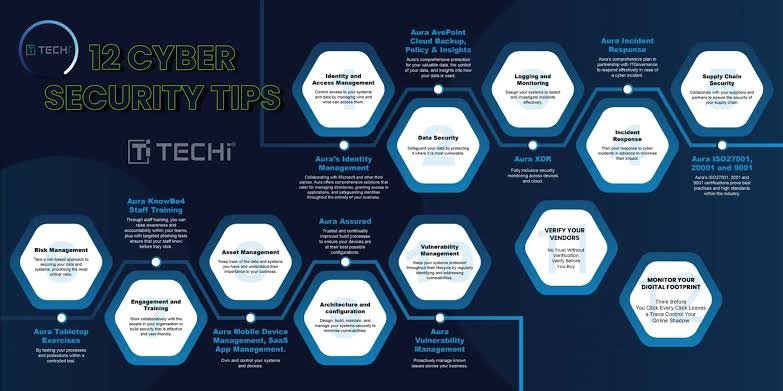
The internet has become an important part of everyday life. People use smartphones and computers for banking, shopping, education, social media, freelancing, entertainment, and communication. While the internet provides countless opportunities, it also comes with security risks.
Cybercriminals are constantly developing new ways to steal passwords, personal information, financial details, and online accounts. A simple mistake, such as clicking a suspicious link or using the same password everywhere, can put multiple accounts at risk.
The good news is that following a few basic cyber security tips can significantly improve your online safety. You do not need to be a cybersecurity expert to protect yourself. Small changes in your daily online habits can make a big difference.
What Is Cyber Security?
Cyber security refers to the methods and practices used to protect computers, smartphones, networks, accounts, and digital information from unauthorized access, attacks, and other online threats.
Cybersecurity is not only important for large companies. Individual internet users are also targets.
Your email account, social media profiles, online banking account, cloud storage, and personal files may contain valuable information. Protecting these accounts should therefore be a regular part of using the internet.
1. Use Strong and Unique Passwords
One of the simplest online security tips is to use strong passwords.
Avoid passwords based on easily available information such as your name, birthday, phone number, or simple words.
A strong password should generally be long and difficult to guess. More importantly, avoid using the same password for multiple accounts.
If one website suffers a data breach and your password is reused elsewhere, attackers may try the same credentials on your other accounts.
A password manager can help you create and store unique passwords for different services.
2. Enable Two-Factor Authentication
Two-factor authentication, commonly called 2FA, adds another security layer to your account.
Normally, you log in with a password. With 2FA enabled, you may also need to provide a verification code or approve the login through another device.
Even if someone discovers your password, the additional security step can make unauthorized access much more difficult.
Whenever an important service offers a reliable 2FA option, consider enabling it.
3. Be Careful With Suspicious Links
Phishing is one of the most common online threats.
A scammer may send an email, SMS, social media message, or WhatsApp message containing a link designed to look legitimate.
The message may claim that your account will be blocked, you have won a prize, or you need to verify your information immediately.
Do not click links simply because a message looks urgent.
Instead, open the official website or application yourself and check whether there is actually a problem.
4. Keep Your Software Updated
Software updates are not only about new features. They can also include important security fixes.
Operating systems, browsers, applications, and antivirus software should be kept updated whenever possible.
Cybercriminals often attempt to exploit known vulnerabilities in outdated software.
Automatic updates can make this process easier because security patches can be installed without requiring you to remember every update manually.
5. Protect Your Smartphone
Modern smartphones contain a huge amount of personal information.
Photos, messages, contacts, email accounts, banking applications, social media profiles, and authentication apps may all be stored on a single device.
Use a strong screen lock and biometric security when available.
You should also avoid installing applications from unknown sources. Before installing an app, check its developer, permissions, reviews, and download source.
6. Avoid Public Wi-Fi for Sensitive Activities
Public Wi-Fi can be convenient at airports, hotels, cafes, and other locations, but you should be careful when using unknown networks.
Avoid performing highly sensitive activities on an untrusted public network when possible, particularly if you cannot verify that the connection is legitimate.
If you need to access an important account while traveling, using your mobile data connection can sometimes be a safer option.
7. Check Website Addresses
Before entering a password, payment information, or personal details, check the website address carefully.
Scammers can create websites that look almost identical to legitimate services.
Look for unusual spelling, unexpected domains, or suspicious URLs.
Do not assume that a website is safe simply because it has professional-looking graphics.
8. Be Careful With Social Media
Social media accounts can reveal more information than users realize.
Posting your full name, location, school, workplace, phone number, travel plans, and other personal information publicly can make social engineering easier.
Review your privacy settings and think carefully before sharing personal information.
You should also be cautious when accepting friend or follow requests from people you do not know.
9. Never Share Verification Codes
One important internet safety tip is to never share one-time passwords or verification codes with another person.
Scammers may pretend to be bank representatives, customer support agents, friends, or company employees.
They may ask you to provide a code that was sent to your phone or email.
Legitimate services generally do not need you to give a verification code to an unknown person who contacts you unexpectedly.
If someone asks for your login code, treat it as a serious warning sign.
10. Back Up Important Files
Cybersecurity is not only about preventing attacks. It is also about being able to recover your information.
Important photos, documents, business files, and other data should be backed up regularly.
You can use an external storage device, cloud backup service, or another secure backup method.
Having a backup can be extremely useful if your device is damaged, lost, stolen, or affected by malware.
11. Watch Out for Online Scams
Online scams can appear in many different forms.
You may receive fake investment opportunities, job offers, giveaways, shopping deals, loan offers, or messages claiming to be from someone you know.
Be particularly careful when someone asks you to send money quickly or provide sensitive information.
If an offer sounds too good to be true, take time to investigate it before taking action.
Do not allow pressure or urgency to make the decision for you.
12. Learn to Recognize Phishing
Phishing messages often use fear, urgency, curiosity, or rewards to encourage people to act without thinking.
Common examples include messages such as:
- Your account will be closed.
- Your payment has failed.
- You have won a prize.
- Verify your account immediately.
- Your package could not be delivered.
- Suspicious activity was detected.
Instead of reacting immediately, stop and verify the message through an official channel.
Why Cyber Security Is Important for Everyone
Cybersecurity is sometimes viewed as something only businesses and technology professionals need to worry about.
That is no longer true.
Almost everyone has valuable digital information. Students have educational accounts, freelancers have client information, businesses have financial records, and ordinary users have personal photos and social media accounts.
A compromised account can create financial, personal, and professional problems.
Learning basic cyber security tips is therefore an important digital skill for everyone.
What Should You Do If Your Account Is Hacked?
If you believe an account has been compromised, act quickly.
First, change the password from a trusted device. If the same password was used on other accounts, change those passwords as well.
Check recent login activity and remove unfamiliar devices or sessions.
Enable two-factor authentication if it was not already active.
If financial information may have been exposed, contact the relevant financial institution through its official contact method.
You should also be careful of follow-up messages because scammers may attempt to exploit the situation further.
Final Thoughts
Staying safe online does not require complicated technical knowledge. Simple habits such as using unique passwords, enabling two-factor authentication, updating software, avoiding suspicious links, protecting personal information, and maintaining backups can significantly improve your security.
The most important online security tips are often the simplest ones: stop before clicking, verify unexpected requests, protect your passwords, and never share sensitive verification information.
As more parts of our lives move online, cybersecurity will become increasingly important. Developing good digital security habits today can help protect your accounts, money, personal information, and digital identity in the future.